


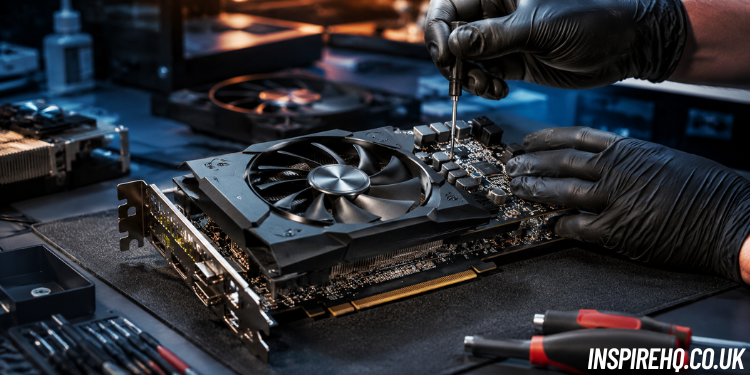
A graphics card is one of the most important components in a gaming PC or workstation because it handles everything related to visuals, rendering, and gaming performance. When a GPU starts failing, many users assume they need an expensive replacement immediately. However, several problems can be repaired with proper maintenance and troubleshooting. Understanding graphics card repair can help gamers and PC users save money, improve performance, and extend hardware lifespan. Learn graphics card repair tips, GPU troubleshooting, repair costs, and how to choose the right graphics card repair service near you.
Understanding Graphics Card Problems
Modern graphics cards contain VRAM, cooling fans, thermal pads, VRM circuits, and multiple electronic components that work together under heavy workloads. Gaming, video editing, and 3D rendering push GPUs to high temperatures for long periods, which increases wear over time. Common signs of GPU failure include black screens, random crashes, visual artifacts, loud fan noise, freezing during gameplay, and sudden FPS drops. In some cases, the system may stop detecting the graphics card completely. Identifying these symptoms early can reduce graphics card repair cost and prevent further hardware damage.
What Causes GPU Failure
Overheating is one of the biggest reasons graphics cards stop working properly. Dust buildup inside fans and heatsinks blocks airflow and traps heat around the GPU core and VRAM chips. Old thermal paste can also dry out and lose cooling efficiency after years of use. Power supply problems are another major cause of failure because unstable voltage can damage VRM components and memory modules. Physical damage, liquid exposure, poor airflow, and aggressive overclocking also place extra stress on graphics cards and shorten their overall lifespan.
Basic Graphics Card Troubleshooting
graphics card repairBefore searching for graphics card repair near me, users should perform a few basic troubleshooting steps at home. Start by reseating the GPU and checking that all PCIe power cables are connected securely. Updating or reinstalling graphics drivers can solve many stability problems and display issues. Temperature monitoring software such as GPU-Z or MSI Afterburner can help identify overheating problems quickly. Testing the graphics card in another PC is also useful because it helps determine whether the issue comes from the GPU itself or another component like the motherboard or power supply.
Cleaning and Maintaining a GPU
Proper maintenance can solve many GPU problems before they become serious. Cleaning dust from the fans, heatsinks, and vents improves airflow and reduces temperatures during gaming sessions. Replacing old thermal paste can also improve cooling performance significantly, especially on older graphics cards. Many users looking for a graphics card repair shop discover that overheating issues are often caused by poor maintenance rather than severe hardware damage. Keeping the GPU clean, maintaining good airflow, and using quality cooling solutions can help prevent long-term reliability problems.
Fixing Common GPU Issues
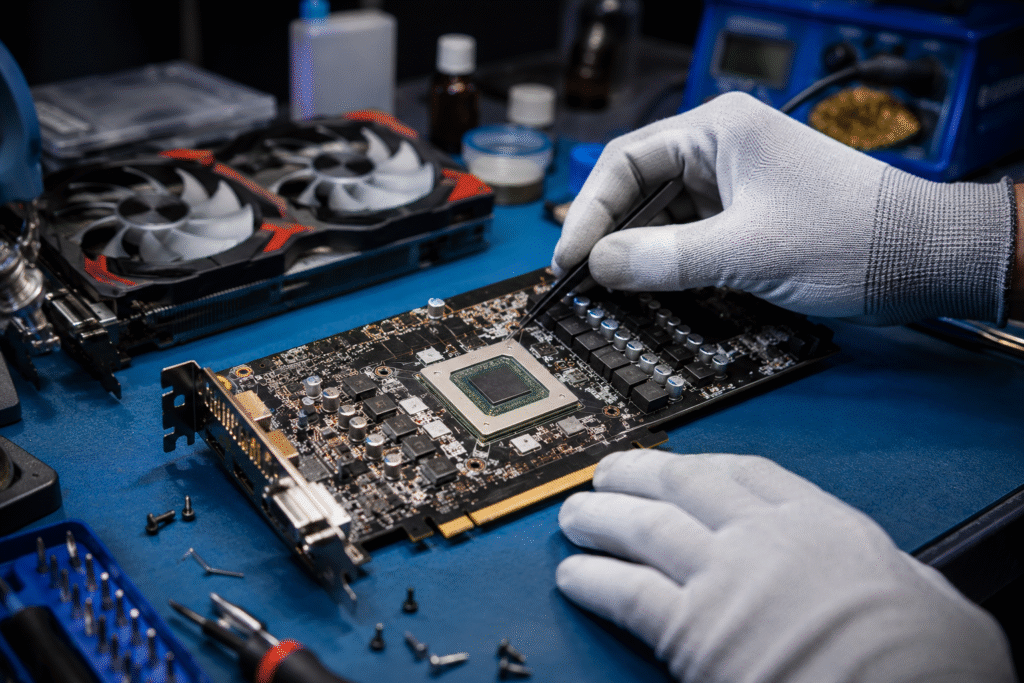
Graphics cards often experience overheating, fan failure, crashing, and display artifact problems. Faulty cooling fans may produce grinding noises, spin slowly, or stop completely, causing the GPU to overheat during heavy workloads. Artifacts such as screen flickering, colored lines, or distorted textures may indicate VRAM instability or overheating. In some situations, software adjustments and cooling improvements solve these problems. However, persistent artifacting or sudden black screens may require a professional graphics card repair service for advanced diagnostics and component-level repairs.
Advanced Graphics Card Repair
Some GPU repairs require professional equipment and technical expertise. Technicians may replace damaged capacitors, repair VRM circuits, restore corrupted BIOS firmware, or diagnose short circuits using advanced testing tools. VRAM replacement and GPU reballing are among the most complex repair procedures because they involve delicate soldering work beneath the GPU chip. Professional repair shops use microscopes, thermal cameras, and precision soldering stations to ensure stable repairs. These advanced services increase graphics card repair cost, but they are often worthwhile for expensive gaming GPUs.
Choosing a Graphics Card Repair Service
Finding the right graphics card repair service is important for long-term reliability and successful repairs. A professional repair technician should provide clear diagnostics, stress testing results, and proper explanations of the problem. Experienced repair shops understand GPU board repair, power delivery systems, and thermal management. Before selecting a graphics card repair shop, compare customer reviews, repair experience, and turnaround times. High-quality repair services use professional diagnostic equipment and proper testing procedures to ensure the graphics card remains stable after repair.
Preventing Future GPU Damage
Preventive maintenance is one of the best ways to extend graphics card lifespan and avoid expensive repairs. Cleaning dust every few months helps maintain airflow and reduce heat buildup inside the PC case. Replacing thermal paste periodically improves cooling efficiency and prevents overheating under heavy gaming loads. Using a reliable power supply protects the GPU from unstable voltage and power surges. Installing a GPU support bracket also helps prevent PCB sagging in heavier cards. These simple habits can reduce the need for future graphics card repair and improve overall system stability.
Conclusion
Graphics card repair has become increasingly important as modern GPUs continue to grow more expensive and complex. Many common GPU problems can be solved through regular maintenance, proper cooling, and basic troubleshooting. More advanced issues such as VRAM damage, BIOS corruption, and VRM failure may require a professional graphics card repair service with specialized equipment. Understanding how graphics cards fail and knowing when to seek professional help can save money, improve gaming performance, and extend the lifespan of valuable hardware.
FAQs
How much does graphics card repair cost?
Graphics card repair cost depends on the type of damage and the repair process involved. Basic services such as cleaning, thermal paste replacement, or fan replacement are usually affordable, while advanced repairs like VRAM replacement or GPU reballing can cost significantly more.
How do I find a reliable graphics card repair shop?
Look for repair shops that specialize in GPU diagnostics and board-level repairs. Reading customer reviews, checking repair experience, and asking about testing procedures can help you choose a reliable graphics card repair service.
Can overheating permanently damage a GPU?
Yes, long-term overheating can damage VRAM chips, weaken solder joints, and reduce overall GPU lifespan. Proper cooling and regular maintenance are important to prevent permanent hardware failure.
Is it better to repair or replace a graphics card?
Repairing a graphics card is often worthwhile for mid-range and high-end GPUs because replacement prices can be expensive. However, older or severely damaged cards may be cheaper to replace entirely.
Why do people search for graphics card repair near me?
Many users search for graphics card repair near me when they experience crashes, overheating, or display issues that require professional diagnostics. Local repair shops can often identify hardware problems quickly and provide repair recommendations.
Also Read: The Evolution of Stage Lighting in Modern Entertainment Events